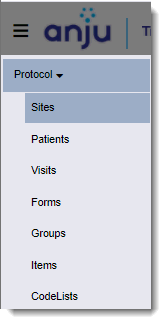
Main Menu icon (top left).
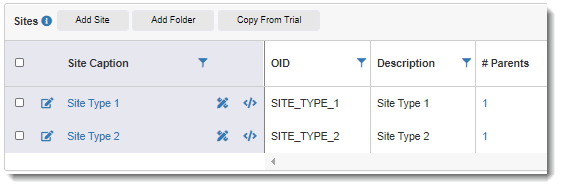
You can view details about each site object, including the site caption, OID, and description.
To view sites:
1. Click the
Main Menu icon (top left).
2. Select Protocol > Sites from the drop-down list.
The Sites page displays the site caption, OID, and description of each site. The links under the # Parents column display the number of trials that are associated with the site. This indicates the number of places in the study build the site is being used. A site is only associated with one trial.
3. To view levels within the object hierarchy, do the following:
· To view the object in the lower hierarchal level, click the site caption. For example, clicking the Site Type 1 caption displays the Patients page.
· To view the object in the higher level of the hierarchy, click the # Parents link. For example, clicking "1" displays the Trials page, which contains the trial associated with the site.
· In general, when navigating the objects of the trial, clicking on an object caption takes you to the next lower level, and clicking on the number of parents takes you to the next higher level.